Appointment Booking Through Instagram: Let Clients Book Themselves
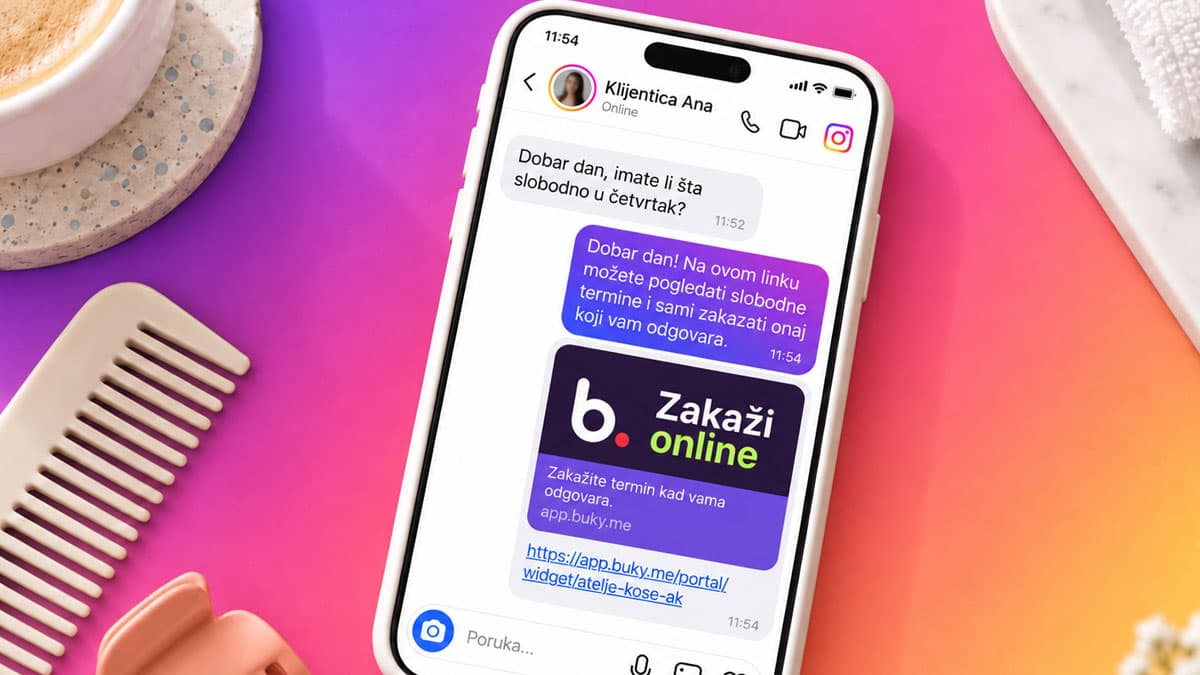
Instagram brings you clients — and then your inbox pushes them away. You post great work, the messages roll in (“how much is it and do you have anything free?”), and you spend half your day replying instead of working. Sound familiar?
Good news: Instagram can run the entire booking process for you. Instead of endless DMs, a client taps one link, picks a service and a time slot, and gets a confirmation — all in under a minute, even while you sleep.
Why Instagram DMs kill your bookings
Booking through messages feels easy, but it costs you more than you think:
- It’s slow. A client asks at 10 PM, you reply in the morning — and by then they’ve gone to a competitor with booking that doesn’t depend on calls and messages.
- It’s messy. Appointments live in DMs, comments, and WhatsApp at once — double bookings happen easily.
- It interrupts you. Every message pulls you away from the client in your chair.
Instagram is great for getting found. But it was never built to run your schedule.
The fix: one bio link that works for you
The idea is simple — turn your profile into a booking point. All you need is a link to your booking page (for example, through scheduling software like Buky). Here are three steps.
1. Put your booking link in your Instagram bio
Open Edit profile → Website and paste your booking link. This is the most visible spot on your profile and the first thing a client sees. Add a clear call to action in your bio text, like “📅 Book your appointment — tap the link below.”
2. Add a button to Stories and Highlights
- In Stories, use the Link sticker so clients can book straight from a post about your work.
- Create a Highlight called “Book” with a couple of instruction slides so new followers always know where to tap.
- In captions and reels, remind them: “Booking link is in our bio.”
3. Turn on automatic reminders
When a client books, the system sends an automatic confirmation, and a day before, an SMS or email reminder. This cuts no-shows by up to 50% — without a single message you have to type.
What booking through Instagram looks like
From the client’s side, the whole thing takes under a minute:
- They see your work and tap the link in your bio.
- They pick a service (say, a cut and blow-dry) and see only the slots that are actually free.
- They confirm and instantly get a confirmation.
- A day before, they get a reminder.
Meanwhile, you do nothing — your schedule fills itself.
Automated scheduling: what Buky does for you
“Automated appointment booking through Instagram” sounds complicated, but in practice it means you set the rules once and the system runs itself:
- Working hours and breaks are set in advance, so no one can book when you’re away.
- Every service has its own duration and price — clients know exactly what they’re choosing.
- Your team sees their own appointments, while you get the full schedule on your phone.
- Reminders and confirmations go out automatically.
The result: Instagram still brings people in, but you stop losing them in the inbox.
Frequently asked questions
Can I take a deposit when someone books through Instagram?
Yes. Through scheduling software you can require a confirmation or deposit before the slot is reserved, which further reduces no-shows.
What if a client still prefers to message me?
No problem — you simply add them manually, and the link stays there for everyone else who prefers to book on their own. Most clients actually prefer booking without waiting for a reply.
Do I need an Instagram business account?
It’s recommended, since business/creator accounts have more link and analytics options, but a bio booking link works on any profile.
Conclusion: let Instagram book for you
Instagram is your storefront — let it be your front desk too. One bio link, a Stories button, and automatic reminders turn followers into booked appointments, with no back-and-forth and no lost clients.
Try Buky free for 14 days and set up your booking link in minutes — no credit card, no commitment.