Scheduling Mistakes
How to Prevent Double Booking in Your Salon (and What to Do When It Already Happened)
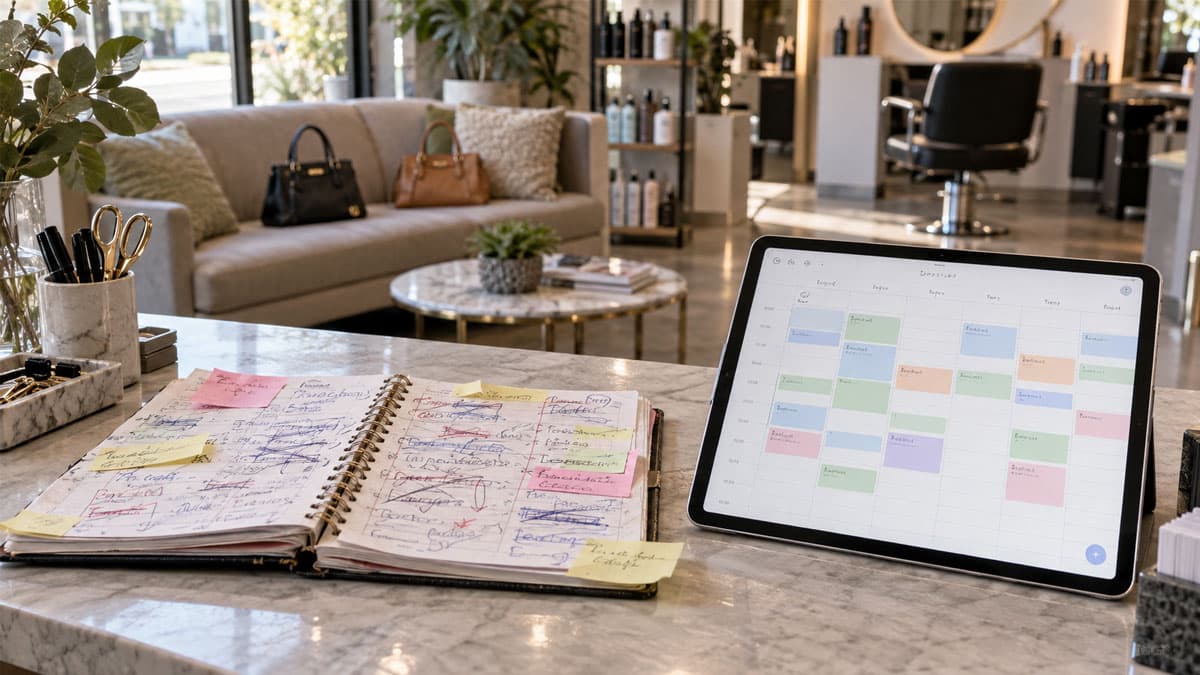
Tuesday, 10:00 AM. Maria walks in for color. A minute later, Jess walks in for a cut and blow-dry. Both have a “confirmed” appointment. You have one chair and one pair of hands.
Whoever’s fault it is — the notebook, WhatsApp, your coworker, or you — a double booking costs you twice: the service you can’t deliver, and the client who waited at the door and left. The one who leaves rarely comes back.
Here are the five ways double booked appointments actually happen, the six rules that prevent them, and what to do when both clients are already there.
Key insight: A double booking is rarely an attention problem. It’s a system problem: appointments live in several places, and none of them knows about the others.
How double booking in a salon actually happens: the 5 usual ways
Ask any salon owner how they got two clients at the same time, and it’s almost always one of these:
- Appointments are scattered across channels. An Instagram DM, a WhatsApp message, a phone call, a client who told you on her way out. The notebook was supposed to tie it together, but it doesn’t always get updated. Booking that depends on calls and messages guarantees an overlap eventually.
- Two people take bookings at once. You answer a call, your coworker replies to a text. You both write down Tuesday at 10:00. Nobody made a mistake — there’s just nowhere to see each other’s entries.
- Service duration gets forgotten. Color with a blow-dry takes 90 minutes, but it went in as “color” and the next client got 10:45. On paper, nothing overlaps. In the chair, it does.
- A reschedule that doesn’t erase the old slot. A client moves from Wednesday to Friday. The new appointment goes in, the old one stays. Wednesday looks full; Friday has two clients at once.
- Confirming from memory. A client runs into you at the store and asks about Thursday at 2 PM. “Sure, I’ll put you down” — and your phone rings. By evening, that slot is promised to two people.
The common thread? Attention didn’t fail. The appointment had no single place to live.
6 rules that prevent double booked appointments
1. One calendar for everything — every channel feeds into it
The channels aren’t the problem. The problem is when the appointment stays wherever it arrived. Wherever a booking comes from, it ends up in the same calendar. The message is the entrance; the calendar is the truth.
2. Only one source of truth — the notebook is dead
If you have a notebook and an app, you have neither. One day one gets updated and the other doesn’t — that’s your double booking. Pick one place and retire the rest: salon calendar software on your phone that the whole team can see.
3. Realistic service durations, plus buffers
Write down how long each service actually takes, not how long it takes on a perfect day. Haircut 45 minutes, color 90, facial 60. Then add 10–15 minutes between appointments for checkout, cleanup, and late arrivals. Back-to-back with no buffer is a double booking waiting to happen.
4. Write it down before you say “you’re booked”
Order matters: check the calendar, enter the appointment, then confirm. Never the other way around. If you’re mid-service and can’t enter it, say “I’ll text you in 10 minutes” — better than a confirmation you’ll have to take back.
5. Clients book themselves from live availability
The safest way to avoid overlapping appointments is to make a taken slot impossible to pick. When clients book from a link that shows only free times, the moment someone takes 10:00, it disappears for everyone else. Same when clients book through WhatsApp: send the link instead of going back and forth.
6. Team members see the same calendar in real time
With a team, every stylist needs to see her own schedule and you need to see the whole salon — at the same moment. If your coworker books 10:00, you see it now, not at lunch. More in our post on organizing your team when everyone works different shifts.
What to do when both clients are already in your salon
It already happened, and they’re both at the door. Here’s the script that saves at least one client, often both.
Apologize once, clearly, and don’t blame the client
“I’m so sorry — we made a scheduling mistake and booked two appointments at the same time.” One sentence. No “are you sure you had the right day?”, no explaining which coworker wrote what. They don’t care how — only what happens now.
Decide who gets served right now
Two fair criteria: who booked first, or whose service is shorter. A 30-minute cut can often go first while the 90-minute color client has a coffee and waits — if she agrees. Ask, don’t assume.
Offer the other client a specific slot, not “I’ll call you”
“Tomorrow at 11 or Thursday at 4 — which works better?” is an offer. “I’ll call you” is a referral to your competitor. Add a small gesture — 10–15% off or a free conditioning treatment. On a $50 service that’s $5 to bring a client back.
Log why it happened
That evening, one sentence: “Double booking — WhatsApp message never made it into the calendar.” After three notes, you’ll know which rule you’re missing.
Manual booking vs. one shared calendar
| Notebook + messages | One shared calendar | |
|---|---|---|
| Risk of overlap | High — every channel is a separate list | Near zero — a taken slot can’t be booked twice |
| Who sees the schedule | Whoever has the notebook | The whole team, on their phones, instantly |
| Rescheduling | Cross out, rewrite, hope | Move it; the old slot frees up automatically |
| Reminders | You type them the day before | Automatic SMS and email |
How Buky prevents double booking
Buky makes a double booking practically impossible, not just less likely:
- One calendar for every appointment. Whether the client booked through your link, called, or messaged, it all lands in one place. Appointments from calls and messages take seconds to enter manually.
- The public booking link shows only slots that are actually free. The moment someone takes 10:00, it disappears. Two clients can’t reserve the same time.
- Service durations and working hours are enforced automatically. A 90-minute color blocks 90 minutes in the calendar, and nobody can book after hours or during a break.
- Each team member sees their own schedule, and you see the whole salon on your phone — in real time.
- Automatic confirmations and reminders. Clients get an instant confirmation and an SMS or email reminder the day before.
- On the Growth plan and up, you can sync Buky with your calendar.
FAQ
What if I still take bookings by phone?
That’s fine — enter it into the same calendar right away and it vanishes from your public link. Same rule: write it down first, then confirm.
Can two stylists book the same client at overlapping times?
If each keeps her own list, yes — and it happens. On one shared calendar, the client picks a specific stylist and a free slot, so the same person can’t be booked twice.
How much buffer should I leave between appointments?
For most salons, 10–15 minutes covers checkout, cleaning the station, and a small delay. For longer services like color or facials, leave 15–20. Losing 10 minutes beats losing a whole appointment.
Conclusion: double booking is a system error, not a people error
Two clients at the same time doesn’t mean you’re careless. It means your appointments live in more than one place. One calendar, realistic durations, “enter it first, then confirm,” and a link where clients pick from live availability — that’s all it takes so Tuesday at 10:00 never happens again.
Try Buky free for 14 days and move every appointment into one calendar – no credit card, no commitment.